

hobby-ish gamedev. This website contains my raw notes and documents my progress.
Static properties
Introduction & Recap
Yesterday we started with the Section 4 of the Multiplayer coop tutorial. This one is done faster, which I dont like. The Lecturer still explains parts of it, just the code is written way faster than I can keep up with. If the content is the same, why speed up then in the first place? Also fuck udemy for not having a speed setting for videos.
Todays topic is about static properties and sprite clipping, as we want to have persistent ground particles which are clipped at the edge of the map.
Notes
Static properties
What are static properties? Variables belonging to the class, not any instance. Shared across all instances, accessible without creating one.
Lecturer: “A static variable is essentially a variable that you can reference through the class name rather than through an instance of the class.”
class_name Main

static var background_effects: Node2D

func _ready():
    background_effects = $BackgroundEffects
And use them with:
# Any script can do this — no reference to Main needed
Main.background_effects.add_child(death_particles)
When are static properties used?
- Shared access points - Letting any script reach a node without passing references around or using
get_node("root/Main/...") - Shared state across instances - counters, global multipliers, class-wide config
- Lightweight singleton alternative - when an autoload is overkill for just exposing a variable or two.
Key behaviours:
- Persists as long as the script is loaded, survives instances being freed
- Reset on script reload
- Static functions can only acccess other static members
Rule of thumb: If you are writing an autoload or threading node references through signals just so one script can reach anothers node - a static var is probably cleaner.
In our specific case, to bridge between the instance world and the static world, we used _background_effects and background_effects in the main.gd. _background_effects is the instance variable, which uses @onready (which only works on regular vars because it needs self and the scene tree). The underscore is just a naming convention meaning “private, internal use only.”.
background_effects is the static variable, accessible via Main.background_effects but it can not use @onready because static variables exist before any instance or scene tree does.
background_effects is null with a type hint of type Node2D until it gets assigned the variable of _background_effects, which has only a value after the _ready() function has been run.
Sprite masking
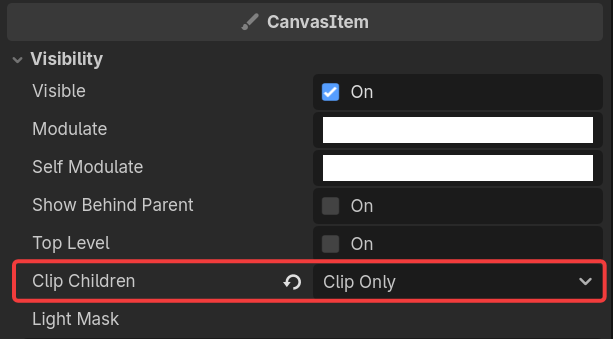
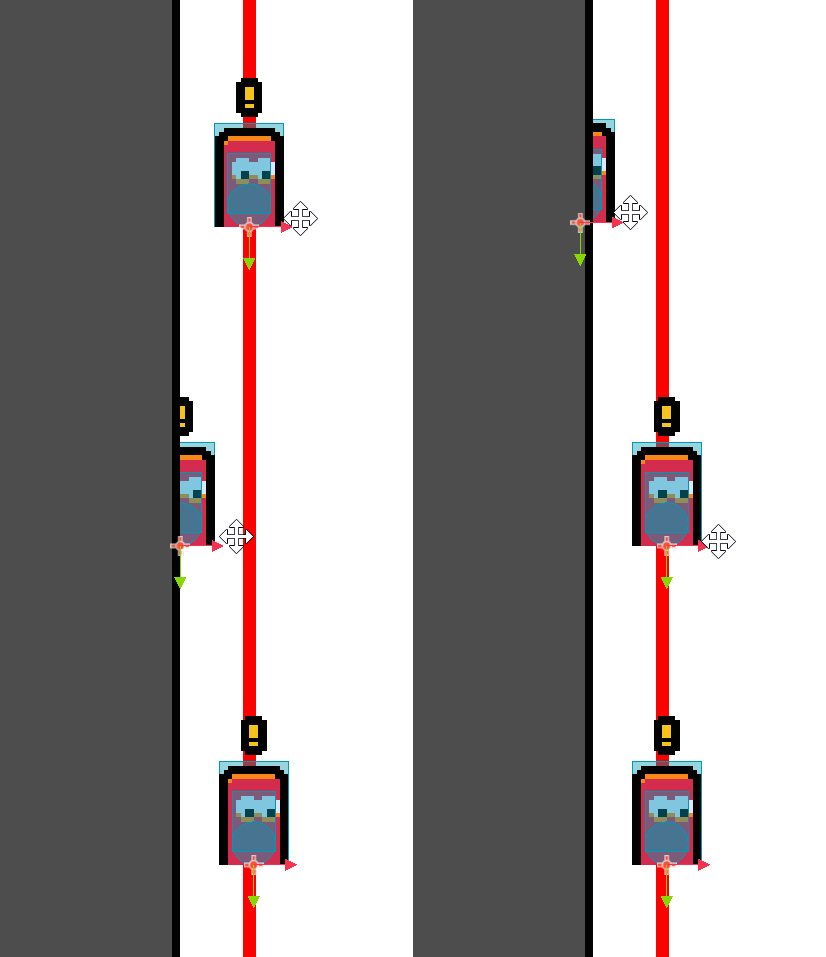
Its actually easy to make. Create a sprite node, use a rectangle png and enable “Clip Only” under “Clip children”:
Test it inside the editor:
Credits and Resources
More infos on state machines: https://www.gdquest.com/tutorial/godot/design-patterns/finite-state-machine/
Credit: Firebelley Games (Coop Tutorial, check it out!)